Know What You Have,
Everywhere, Right Now
Not what the last stock count said. Not what someone
thinks is in the back room. The actual number, updated
the moment a sale, a purchase or a transfer happens —
at every location you run.

If you need any help?
Please fill the form here and our team will get back to you at the earliest.
Why trust Elixir Retail?
What Is Inventory Management
Software?
Inventory management software is the system that tracks what you have, where it is, and
what it's worth — instead of relying on a physical count or someone's memory of what's left.
What It Is
A live record of every product you
stock — how many units, at which
location, and at what value — updated
automatically as stock moves in, out, or
between places. It replaces a physical
register or a spreadsheet nobody
keeps current.
What It Does
Tracks stock levels across every store
and warehouse, alerts you before
something runs out, records batches
and expiry dates, tracks transfers
between locations, and shows what's
actually selling versus what's sitting
still.
Where It's Used
Any business holding physical stock
needs this — most of all with fast-
moving, perishable or high-value stock,
or multiple locations. Supermarkets,
Furniture, Pharmacies, Jewellery
Common Use Cases for Inventory
Management Software
However you refer to it — stock management, inventory control, or just "knowing what's in
the store" — most retail businesses hit the same handful of situations sooner or later.
Knowing What's Actually on the Shelf
Knowing exact stock levels for every item, right
now, instead of relying on a physical count or a
rough guess.
Getting Alerted Before Something Runs Out
Being warned when a fast-moving item is about to
run low, instead of finding out only when a
customer asks for it.
Moving Stock Between Stores or Locations
Transferring stock from one branch or warehouse
to another, and knowing it's recorded correctly on
both ends.
Tracking Stock With an Expiry or Batch
Number
Knowing which batch of a product needs to sell
first, especially for anything perishable or date-
sensitive.
Reconciling What the System Says vs.
What's Physically There
Running a stock count or audit and quickly seeing
exactly where the numbers don't match.
Knowing What's Selling and What's Sitting
Telling apart the products that are actually moving
from the ones quietly taking up shelf space.
What Good Inventory Management
Actually Gets You
None of this is about software for its own sake — it's about what changes once
stock stops being tracked from memory.
- Fewer stockouts on items customers actually
want - Less money tied up in stock that isn't moving
- Real-time visibility into stock across every
location, not just one - Faster, more accurate stock audits and counts
- Expiry and batch-sensitive stock sold in the
right order - Fewer surprises when a physical count doesn't
match the books - Purchase decisions based on actual stock data,
not guesswork - One accurate stock number, not three different
spreadsheets
Everything Between "It's In
Stock" and Actually Knowing It
Most stock problems aren't about buying wrong. They're about not knowing what
you already have, where it is, or how fast it's moving.
Real-Time Stock, Every Location
One screen shows every store and
warehouse, updating the instant a
sale, purchase or transfer happens
anywhere.
Barcode Generation & Scanning
Generate and print barcodes for products that don't already have one, and scan your way through billing and stock-taking alike.
Low-Stock & Reorder Alerts
Set a reorder point per product, per
location, and get alerted before
you're actually out — not after a
customer asks.
Stock Transfers Between
Locations
Move stock from one store or
warehouse to another, tracked from
dispatch to receipt — both ends
always show the right number.
Batch & Expiry Tracking
Track products batch-wise with
expiry dates, so ageing stock gets
flagged and sold down before it
becomes a write-off.
Best-Sellers & Slow-Movers
See exactly what's actually selling
and what's been sitting on a shelf for
months, so buying decisions are
based on facts.
Stock Audit & Cycle Counting
Record a physical count and match it
against system stock, with a variance
report showing exactly where the
numbers disagree.
Purchase-Linked Auto Updates
Record a purchase from a supplier
and stock updates automatically —
nothing gets entered twice between
purchasing and inventory.
Offline / Online Sync
Stock changes made without internet
sync automatically once you're back
online — nothing gets lost in
between.
Hardware Compatibility
Supported POS Hardware
Thermal
Printer
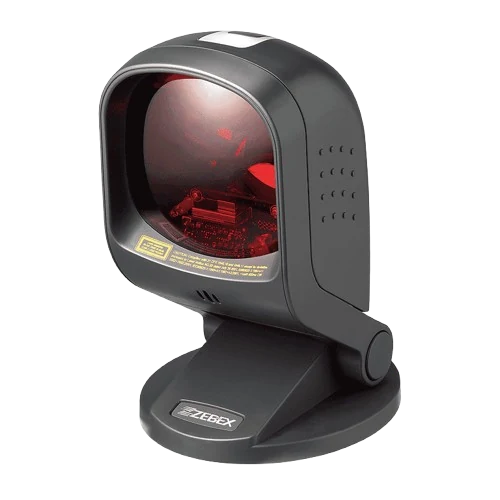
Barcode
Scanner

Gun
Scanner
Cash
Drawer
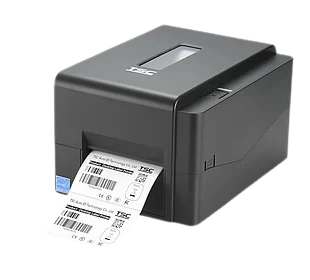
Barcode
Printer
A4
Printer
Connects With Your Tools
- Purchase Management
- Reports & Analytics
- Multi-Store Management
- Tally
- SMS / WhatsApp for Digital Invoices
The Same Stock Count,
Everywhere You Sell
Inventory Management isn't a separate purchase — it's the shared stock count
underneath every Elixir product.
Retail POS
Stock deducted the moment
you bill.
Mobile POS
Same stock, checked from
anywhere on the floor.
Showroom ERP
Floor stock kept separate from
warehouse stock.
eCommerce
Your website never sells what
isn't actually there.
A Stock Number You Can
Actually Trust
Money tied up in the wrong stock is money you can't spend elsewhere. Inventory
Management is built around getting the number right.
Never Stops Tracking
Offline mode keeps counting stock through
a connectivity drop, syncing automatically
once you're back.
Every Change Recorded
Every stock movement backed up continuously —
nothing depends on one device or one person's
memory.
Access by Role
Floor staff, warehouse and management
each see and adjust exactly what their role
allows.
Support That Understands Stock
12-hour support from people who understand what
a stock mismatch actually costs.
Elixir Inventory vs. Manual Stock
Registers
| Capability | Elixir Inventory | Register / Excel Sheet |
|---|---|---|
| Updates Automatically on Sale or Purchase | ✓ Yes | Manual entry |
| Real-Time Across Multiple Locations | ✓ Yes | No |
| Low-Stock & Reorder Alerts | ✓ Yes | No |
| Batch & Expiry Tracking | ✓ Yes | Rarely maintained |
| Stock Transfer Tracking Between Locations | ✓ Yes | No |
| Best-Seller / Slow-Mover Visibility | ✓ Yes | No |
Integrates with: Purchase Management · Multi-Store Management · Reports & Analytics · Tally · SMS /
WhatsApp
FAQ
Frequently asked questions
Inventory Management is the stock engine built into every Elixir product. It tracks what you have, where it is, and what it's worth — across one store or a hundred — in real time.
Yes. Every location shows up on one screen, with stock updating the moment a sale, a purchase or a transfer happens anywhere in the network. See Multi-Store Management →
Yes. Stock transfers between locations are tracked from dispatch to receipt, so both ends of the transfer always show the correct number.
Yes. Low-stock and reorder alerts are triggered automatically based on the levels you set, per product and per location.
Yes. Products can be tracked batch-wise with expiry dates, so ageing or expiring stock is flagged before it becomes a write-off.
Yes. Best-sellers, slow-movers and stock ageing are all visible, so buying decisions are based on what's actually selling. See Reports & Analytics →
Physical counts can be recorded and matched against system stock, with variance reports showing exactly where the numbers don't line up.
Yes. A recorded purchase updates stock automatically — nothing needs to be entered twice between purchasing and inventory. See Purchase Management →
Yes. Stock changes made offline sync automatically the moment connectivity is back, so nothing is lost in between.
All of them. Retail POS, Mobile POS, Showroom ERP and eCommerce all share the same live stock, so a sale anywhere updates it everywhere.
Stop Guessing What's Actually in
Stock
Real-time inventory across every store and warehouse — built into
every Elixir product. See it on your own catalogue.